Requirements
Unreal Engine 5.7
Amara Account
Installation
1
Download the Starter Template
Download the Amara Starter Template for Unreal Engine 5.7. This includes:
- Amara Plugin v1.1.0 (bundled)
- Starter Asset Pack with ready-to-use 3D assets
Open the project to explore immediately — the pre-indexed assets work out of the box.
2
Generate an API Key
Generate a personal API key to authenticate the Amara plugin: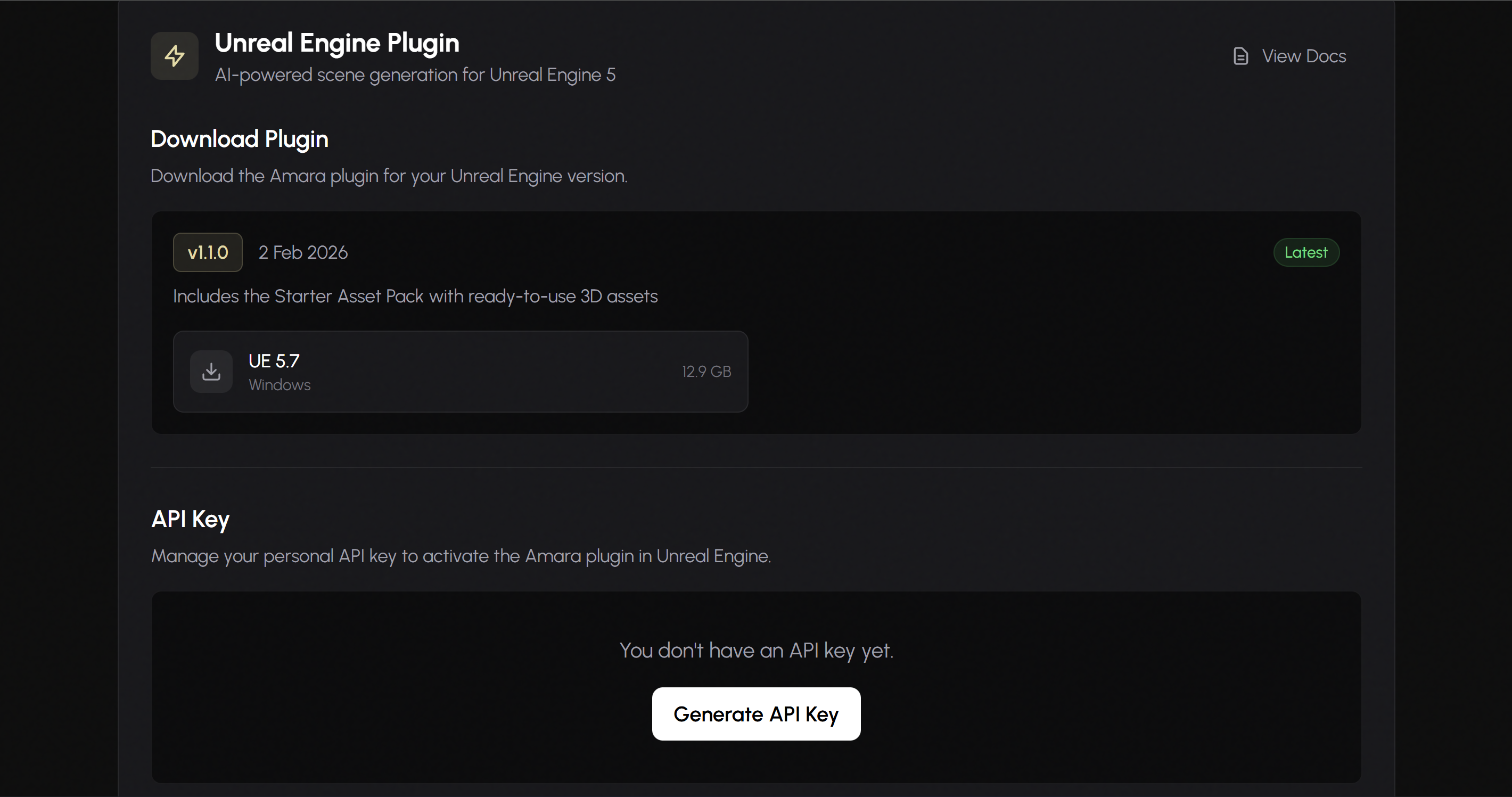
- Log in to your Amara account
- Go to Profile
- Find the Unreal Engine Plugin section
- Under API Key, click Generate API Key
- Copy the key immediately — it won’t be shown again
3
Connect the Plugin
- Open
AmaraStarterTemplate.uprojectfrom the downloaded Starter Template - In Unreal Engine, go to Tools → Amara Connection
- Enter your API key in the API Key field
- Click Connect
You should see a success message confirming the connection.
Updating the Plugin
When a newer version of the plugin is released, you can update it from your Profile:- Go to Profile → Unreal Engine Plugin and download the latest plugin version
- In your project folder, navigate to and delete the contents of:
- Extract the downloaded plugin and replace with the new contents
- Restart Unreal Engine
Your API key will continue to work — no need to regenerate it after updating.
Using the Plugin
Assistant
Natural Language Scene Building Build entire scenes using natural language commands:Semantic Search
Search for assets in your Content Browser using natural descriptions instead of exact file names. The search uses semantic understanding to find assets appropriate for your scenes based on style, context, and visual characteristics. Example searches: “Gothic style furniture”, “Modern office desk”, “Rustic wooden table”Sync Your Own Assets
The Starter Pack includes pre-indexed assets that work immediately. To use your own assets:- Click Sync Assets in the Amara panel
- Wait for the sync to complete (larger projects may take significant time)
- Once synced, your Content Browser assets will be available to the Assistant and Semantic Search
Helpful Features
Refine Scene
Undo
Troubleshooting
Connection Issues
Connection Issues
- Verify your API key is correct and hasn’t been revoked
- Check your internet connection
- Ensure your subscription is active
Assets Not Appearing in Search
Assets Not Appearing in Search
- Run Sync Assets to index your Content Browser
- Wait for sync to complete before searching